Who is this portal for?
This portal is primarily for partners of K3 Fashion who implement and support end customers using our products which are embedded in Microsoft Finance and Operations, and Microsoft Business Central. For more information, please see our website https://k3fashionsolutions.com/.
Customers using our software who need help should contact their partner for assistance, although in a few cases, customers do not have partners which means they can use this portal.
How to Register / Sign Up
1. Initial Registration
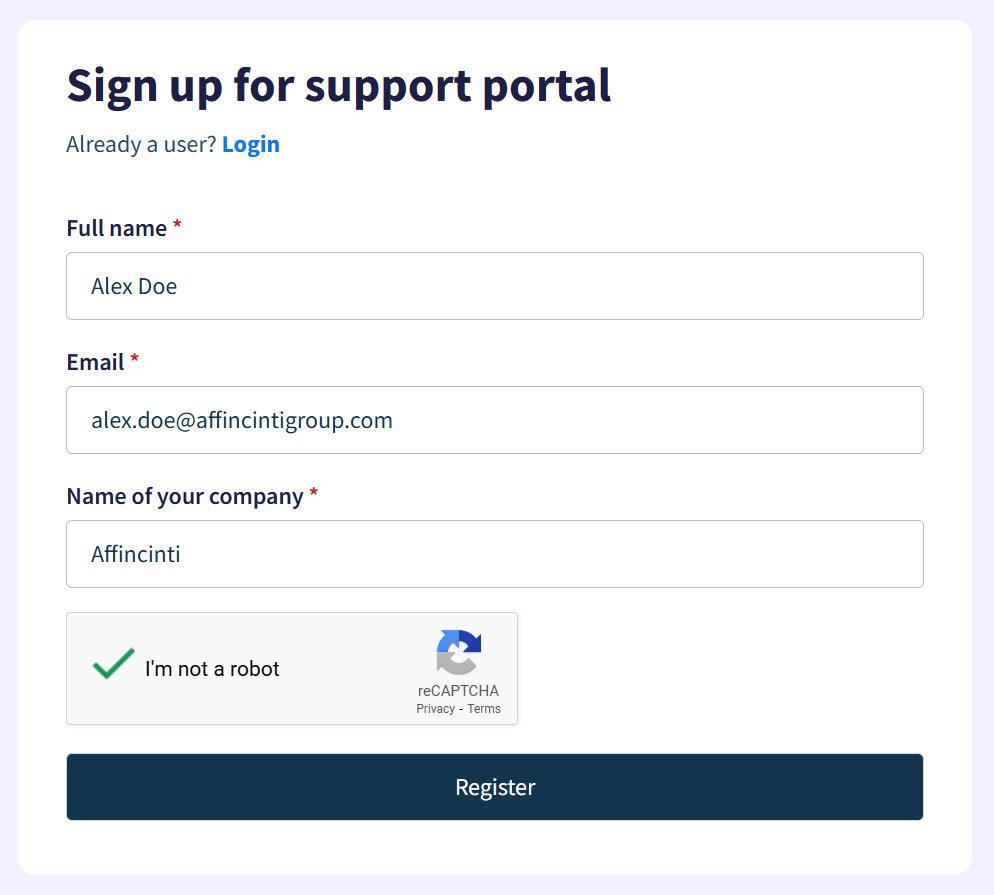
For initial registration, please click on the Signup link and enter your full name and email address (screenshot below).

You will then be asked for your full name, email address, and the name of your company. Please use your business email address to help us verify which company you work for.
2. Confirmation of Registration
Once you have entered your details, and passed the Captcha process (to prevent bots from signing up), you will receive this confirmation message

We will review the request (which may take a business day), and using your email domain and what you entered into the "Name of your company" box, we'll link you up to the correct company in our system, and send you an activation email which will ask you to set a password (check your junk mail, example email shown below which will be received from [email protected])
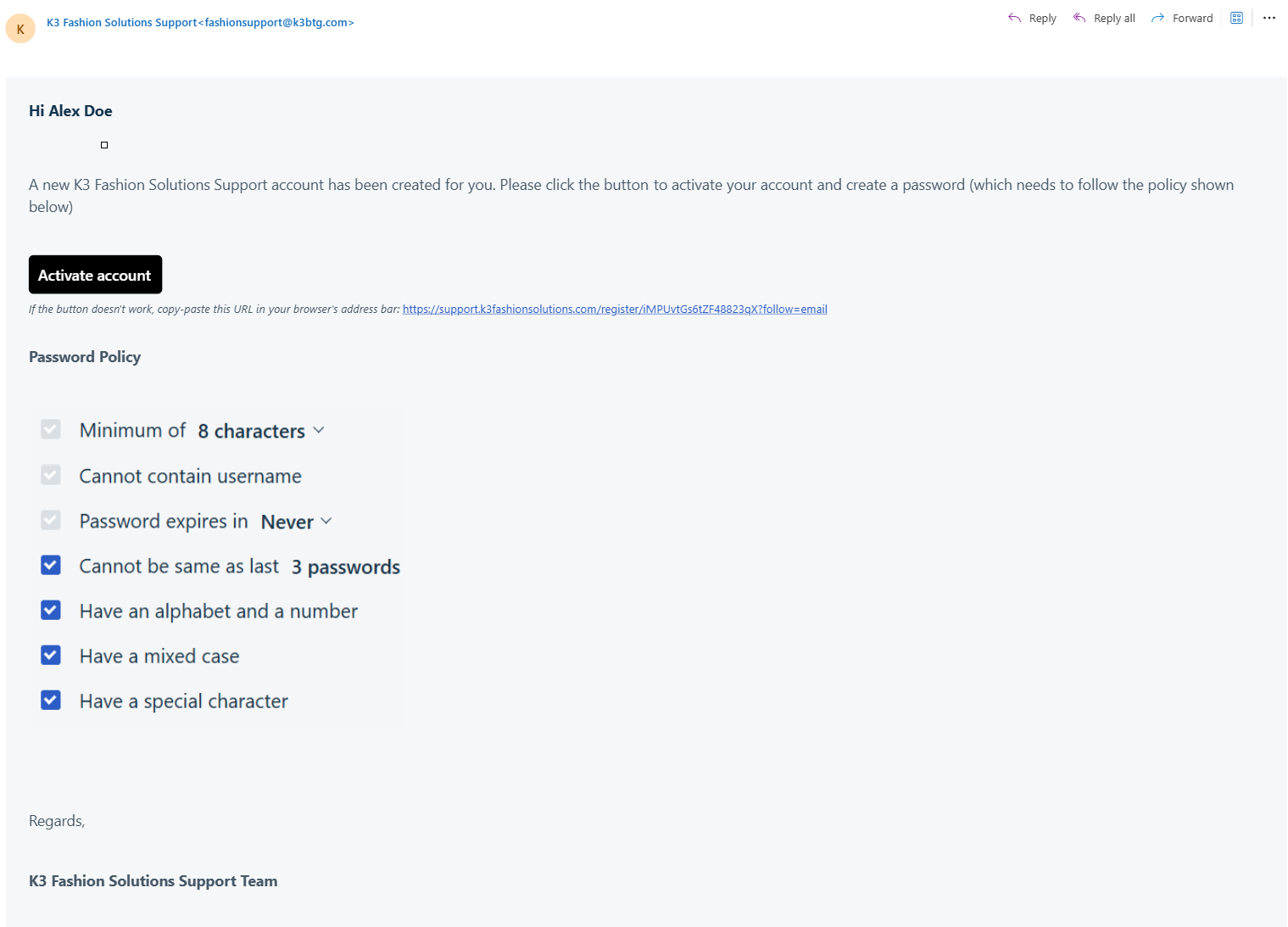
The password policy is shown in the activation email, and shown on the page where you set your password.

Was this article helpful?
That’s Great!
Thank you for your feedback
Sorry! We couldn't be helpful
Thank you for your feedback
Feedback sent
We appreciate your effort and will try to fix the article